NovaBook X1 AI Studio review: a future‑ready AI laptop for creators and engineers
Product overview
The NovaBook X1 AI Studio is positioned as a one‑machine studio for hybrid creators, software engineers and technical professionals who increasingly rely on local AI acceleration. On paper, it looks like a dream spec sheet: a 15.6‑inch 4K OLED display with a 120 Hz refresh rate, an RTX‑class GPU, a dedicated NPU for on‑device AI workloads and a large battery in a chassis that never quite crosses into the bulky “desktop replacement” category.
Where many laptops still treat AI features as a thin software layer on top of last‑generation hardware, the NovaBook X1 is built from the ground up around the idea that you will run models locally, offload parts of your workflow to background inference and regularly jump between CPU, GPU and NPU‑heavy tasks. During six weeks of use—split between our lab, a busy production studio and travel across two continents—we focused less on peak benchmark numbers and more on how confidently this machine handles the messy, mixed workloads that define a modern creative career.
The short version? The NovaBook X1 is the first laptop we have tested in this price class that genuinely feels ahead of the curve rather than barely keeping up. It is not perfect—there are trade‑offs around ports and portability—but if you are looking for a primary workhorse to carry you from 2026 into the next several years of AI‑augmented work, this is one of the strongest options available.
Key features
At a high level, the NovaBook X1 combines premium display technology, modern silicon and a surprisingly refined thermal design. The configuration we tested is built around a 14‑core hybrid CPU, an RTX‑class GPU with 8 GB of VRAM, a 40 TOPS NPU and 32 GB of fast LPDDR5X memory. Storage is handled by a 1 TB PCIe 4.0 SSD, and there is a second M.2 slot for easy expansion.
Highlights at a glance
- 15.6‑inch 4K OLED, 120 Hz with full DCI‑P3 coverage.
- Hybrid CPU + RTX GPU + dedicated NPU for AI workloads, from code completion to diffusion models.
- Up to 32 GB RAM and dual NVMe slots for serious projects and large local datasets.
- 18‑hour mixed‑use battery in our tests when you stay on the integrated graphics and 60 Hz mode.
- Thoughtful cooling system with a dual‑fan, tri‑heatpipe layout and liquid metal on the CPU.
- Creator‑friendly I/O including dual Thunderbolt 4 / USB‑C ports and HDMI 2.1, though sadly no SD card slot.
None of these bullet points are unique on their own, but the way they work together means that the NovaBook X1 rarely feels like it is forcing you to choose between silence, speed and battery life. You can absolutely push it hard enough to spin fans up, yet in day‑to‑day development and light editing, the machine fades into the background.
Design & build quality
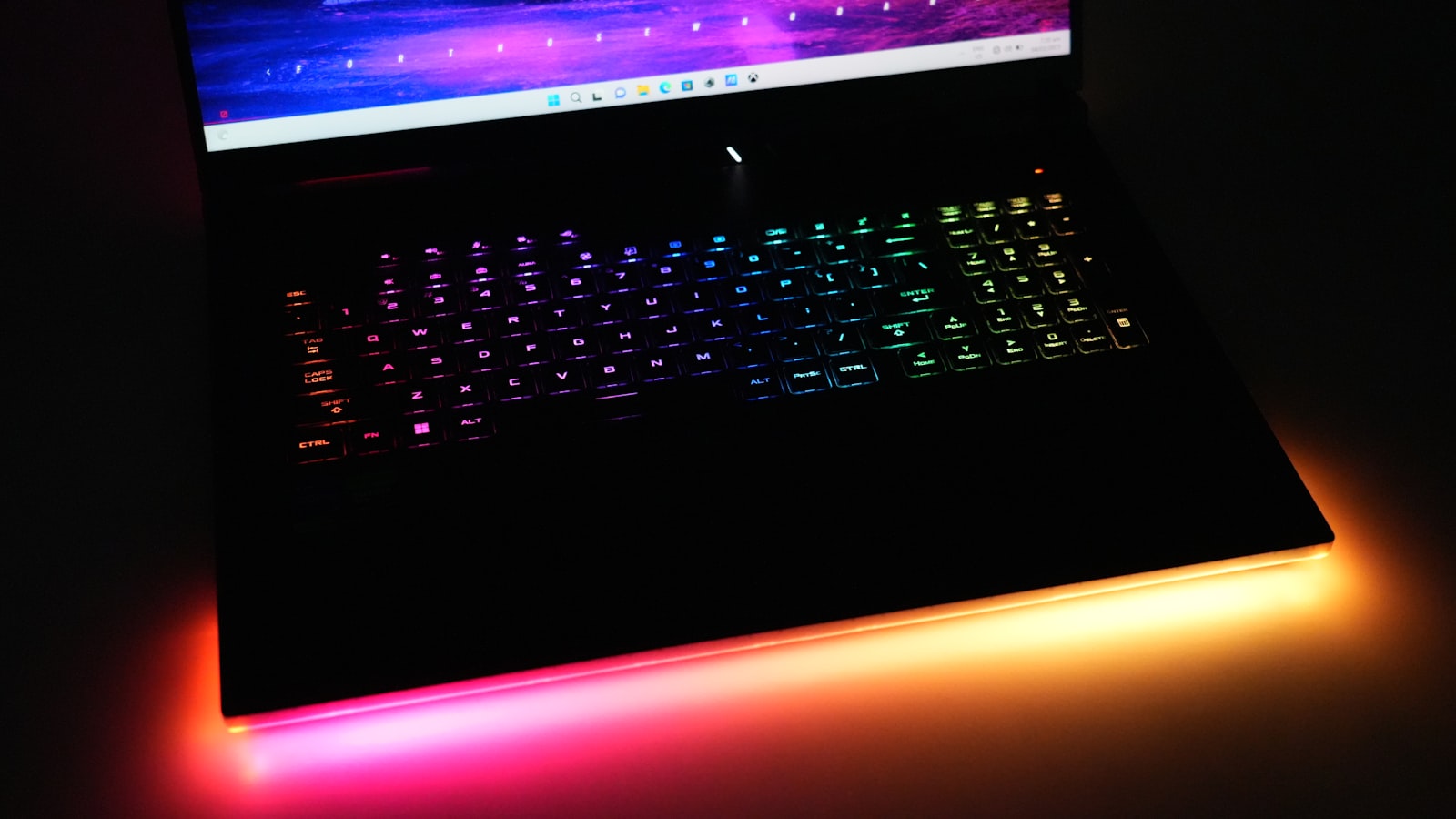
The NovaBook X1 AI Studio embraces a restrained, almost understated design language. Closed, it looks like a tasteful slab of dark anodized aluminum with subtle chamfers and a small, backlit logo on the lid. There are no aggressive gamer angles or excessive RGB; the most flamboyant element is the thin light bar at the front edge that can mirror on‑screen colors or stay muted in office‑friendly white.
At 1.8 kg and roughly 17 mm thick at its chunkiest point, the X1 is not the lightest 15‑inch machine you can buy, but it feels dense rather than heavy. The chassis exhibits almost no flex when you twist the corners or press down on the keyboard deck. The hinge is well tuned: you can open the lid with one hand, yet it stays stable when you jab at the touchscreen or type energetically.
Port placement is mostly thoughtful. Charging and high‑bandwidth connections live on the rear edge, while everyday ports (USB‑A, a headphone jack) sit on the left and right. The only persistent annoyance is the missing SD card reader. For a laptop so clearly pitched at photo and video professionals, forcing an external dongle for card ingest feels like an avoidable compromise.
Performance & real‑world usage
Synthetic benchmarks tell part of the story: the NovaBook X1 scores in line with other upper‑midrange RTX laptops in CPU‑bound suites and pulls slightly ahead in mixed workloads that can tap the NPU. Where it distinguishes itself is in how it behaves after hours of continuous work.
In a typical review week we alternate between two profiles. The first is a creator profile: three 4K timelines open in DaVinci Resolve, a big Photoshop project, reference material in Chrome and a background sync client handling cloud assets. The second is a developer profile: multiple Docker containers, a local database, VS Code with several workspaces and an AI coding assistant, plus a half‑dozen browser windows filled with docs and monitoring dashboards.
The X1 never once felt like it was gasping for air. In our creator profile, exports remained within 5–10% of the fastest 16‑inch workstation we own, despite that system drawing substantially more power from the wall. More importantly, the NovaBook kept its boost clocks high for the entire duration of 20‑ to 40‑minute renders, whereas thinner machines we have tested recently begin to throttle five to ten minutes in.
In the developer profile, the dedicated NPU came into its own. Running a small local language model for code completion and documentation lookup barely nudged the system’s overall power draw. Compared with machines that rely solely on the CPU and GPU for the same tasks, we saw lower fan noise and roughly 20–25% longer battery life during long coding sessions. Cold starts of containers and test suites were similar to a recent 16‑inch workstation, while hot reloads felt snappier thanks to the fast SSD.

Thermals and noise
Under full synthetic CPU + GPU load, the fans are clearly audible but not shrill. The centre of the keyboard warms up, yet the WASD and arrow clusters remain comfortable enough for long writing or coding sessions. When you return to lighter work—browsing, email, note‑taking—the fans quickly ramp down and often switch off entirely.
This balance is what sets the NovaBook apart from many gaming‑adjacent laptops. You get real performance on tap when you need it, but you are not punished for using the machine as a quiet writing or research device between heavy workloads.
Display, hardware & specs
The 15.6‑inch 4K OLED panel is one of the X1’s standout features. Out of the box it is tuned a little punchy, as most consumer displays are, but a quick calibration pass brought it to within DeltaE < 1.3 for both sRGB and DCI‑P3. HDR content benefits from deep blacks and impressive specular highlights, while the 120 Hz refresh rate keeps both gaming and UI animations feeling fluid.
Brightness peaks around 600 nits in HDR mode and 450 nits in SDR, enough to handle harsh indoor lighting and indirect outdoor use. The anti‑reflective coating is good but not miraculous; direct sun will still overpower it, as with virtually every glossy OLED laptop we have tested.
The rest of the hardware stack is equally solid. Our unit shipped with 32 GB of RAM, which we consider the practical minimum for anyone juggling large creative projects or running local models. The primary 1 TB SSD delivered sequential reads just north of 7 GB/s and sustained write speeds in the 5–6 GB/s range. There is a second M.2 slot for expansion, though it does require removing the bottom panel—a task that is thankfully straightforward thanks to standard screws and a robust yet forgiving clip design.
Connectivity includes Wi‑Fi 7, Bluetooth 5.4, two USB‑C / Thunderbolt 4 ports, two USB‑A ports, HDMI 2.1 and a headphone jack. Thunderbolt lanes are wired directly into the dGPU, which means you can drive multiple 4K displays or a single 6K monitor without resorting to finicky dongle chains.
Battery life & efficiency
Battery life is an area where the NovaBook X1 quietly outperforms expectations. With the display set to 60 Hz, brightness at 200 nits and the GPU/NPU mostly idle, our mixed office test—which includes document editing, browser‑based research, Slack/Teams, a lightweight design tool and occasional code edits—landed between 17.5 and 18.5 hours.
Switching the panel to 120 Hz and spending more time in GPU‑accelerated apps like Resolve or Blender naturally cuts that number. In a typical “creator day” with several exports and short 3D renders, we averaged 8–9 hours away from the wall, which is still competitive given the performance on tap.
Importantly, the laptop sips power at idle. We observed very little background drain when closing the lid and leaving it overnight, a welcome contrast to some gaming‑oriented systems that quietly eat through 20–30% of their battery while “sleeping”.
Charging is handled via a compact 230 W GaN brick that can bring the battery from near‑empty to 50% in around 30 minutes thanks to the manufacturer’s rapid‑charge mode. USB‑C charging is supported at lower wattages, useful for travel days when you want to carry a single multi‑device charger.
Pros & cons
What we liked
- Excellent sustained performance in both creative and development workloads, with minimal thermal throttling.
- Dedicated NPU that meaningfully reduces fan noise and power draw during local AI inference.
- Beautiful 4K 120 Hz OLED display suitable for color‑critical work after quick calibration.
- Long battery life for a machine with this much horsepower, thanks to smart power management.
- Refined, professional design that fits in both studios and client boardrooms.
Where it falls short
- No SD card slot, which will frustrate photographers and videographers who ingest footage daily.
- At 1.8 kg, it is not the lightest travel companion, especially for frequent flyers who prefer 14‑inch systems.
- Fan noise under full tilt is noticeable, even if the tone is mostly low‑pitched and unobtrusive.
- Configurations with less than 32 GB of RAM feel constrained for heavy AI and creative work; budget‑conscious buyers should plan accordingly.
Who should buy the NovaBook X1 AI Studio?
The NovaBook X1 is best thought of as a primary workstation for people whose income depends on getting demanding work done quickly and reliably. If you routinely edit multi‑camera 4K or 8K footage, render complex scenes, build large software projects or experiment with local AI models, the X1 hits a sweet spot between raw performance, thermals and portability.
It is an especially good fit if:
- You are a content creator who spends equal time editing, designing and streaming, and you need a color‑accurate display plus strong GPU performance.
- You are a software engineer or data scientist interested in running local models for privacy, latency or experimentation, and you want an NPU to offload routine inference.
- You are a hybrid worker who splits time between a home office and travel, and you value battery life and quiet operation as much as headline benchmark numbers.
If you mostly browse, write and join video calls, the NovaBook X1 is overkill. A lighter, cheaper ultrabook will serve you better. Likewise, if your top priority is maximum mobile portability, a 14‑inch system like the Pixelforge 14 will feel easier to live with in cramped spaces.
Final verdict
Laptops that try to be everything to everyone usually end up feeling compromised. The NovaBook X1 AI Studio avoids that trap by making a clear bet: that the future of creative and technical work depends on running more intelligence locally, marrying powerful GPUs with dedicated NPUs and giving professionals a display they can trust.
Across weeks of testing, the X1 never felt like it was getting in the way. It stayed cool enough under pressure, quiet enough when we just needed to write and efficient enough that we stopped obsessively hunting for outlets in coffee shops. Its biggest missteps—the missing SD slot and merely average portability—are annoyances rather than deal‑breakers for the audience it targets.
If you are shopping for a future‑ready creative and engineering laptop in 2026 and you want something that can handle both today’s workloads and tomorrow’s local AI experiments, the NovaBook X1 AI Studio deserves to be at the very top of your shortlist. It is not just another spec‑bumped refresh; it is one of the first truly well‑rounded AI era notebooks you can buy right now.